Helpful interactive design links
Ideation map
Assessment 2 prototype ideas
Down below are my documentation for my interactive project.
Mind map
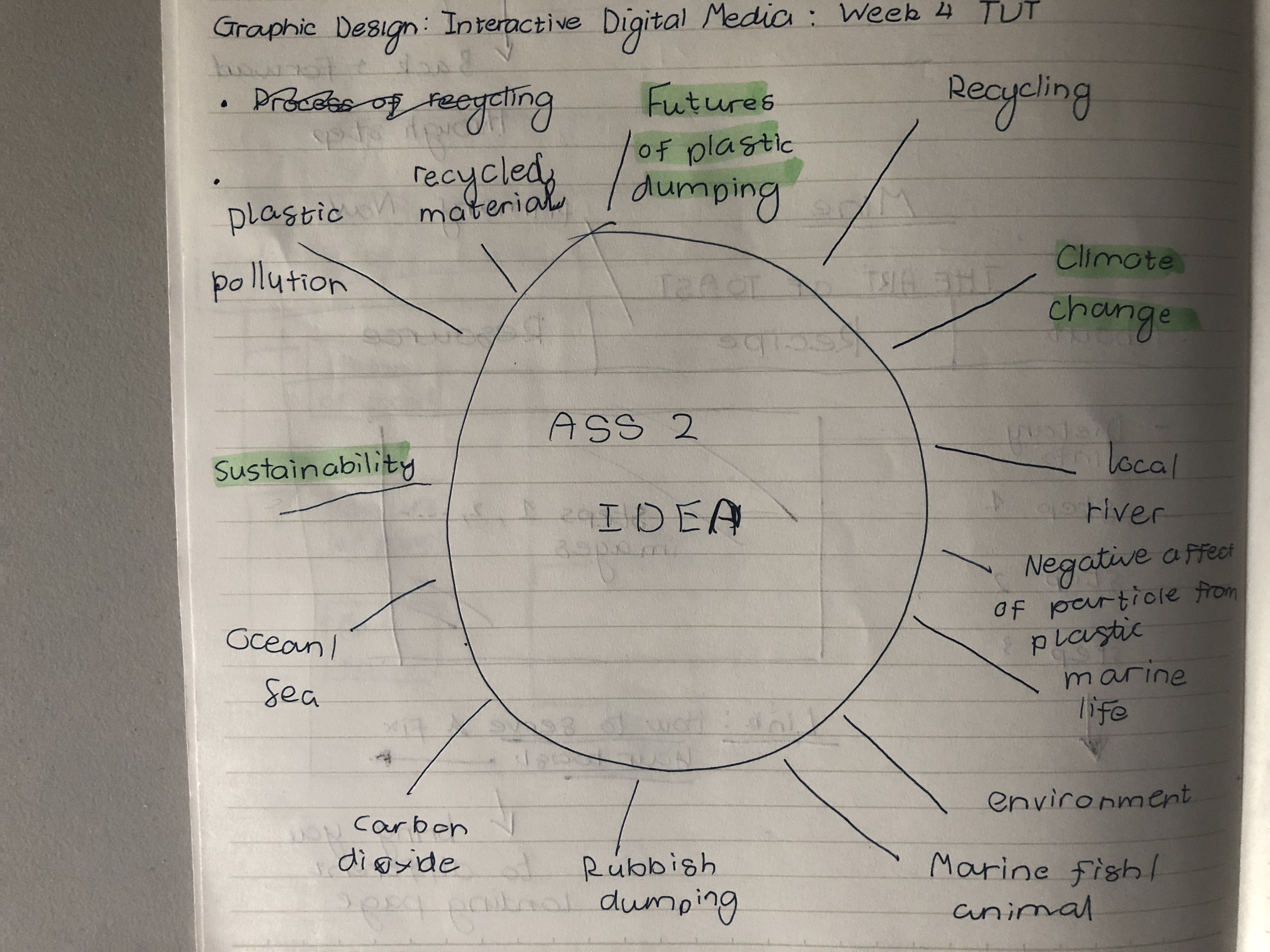
Rough wireframe sketch
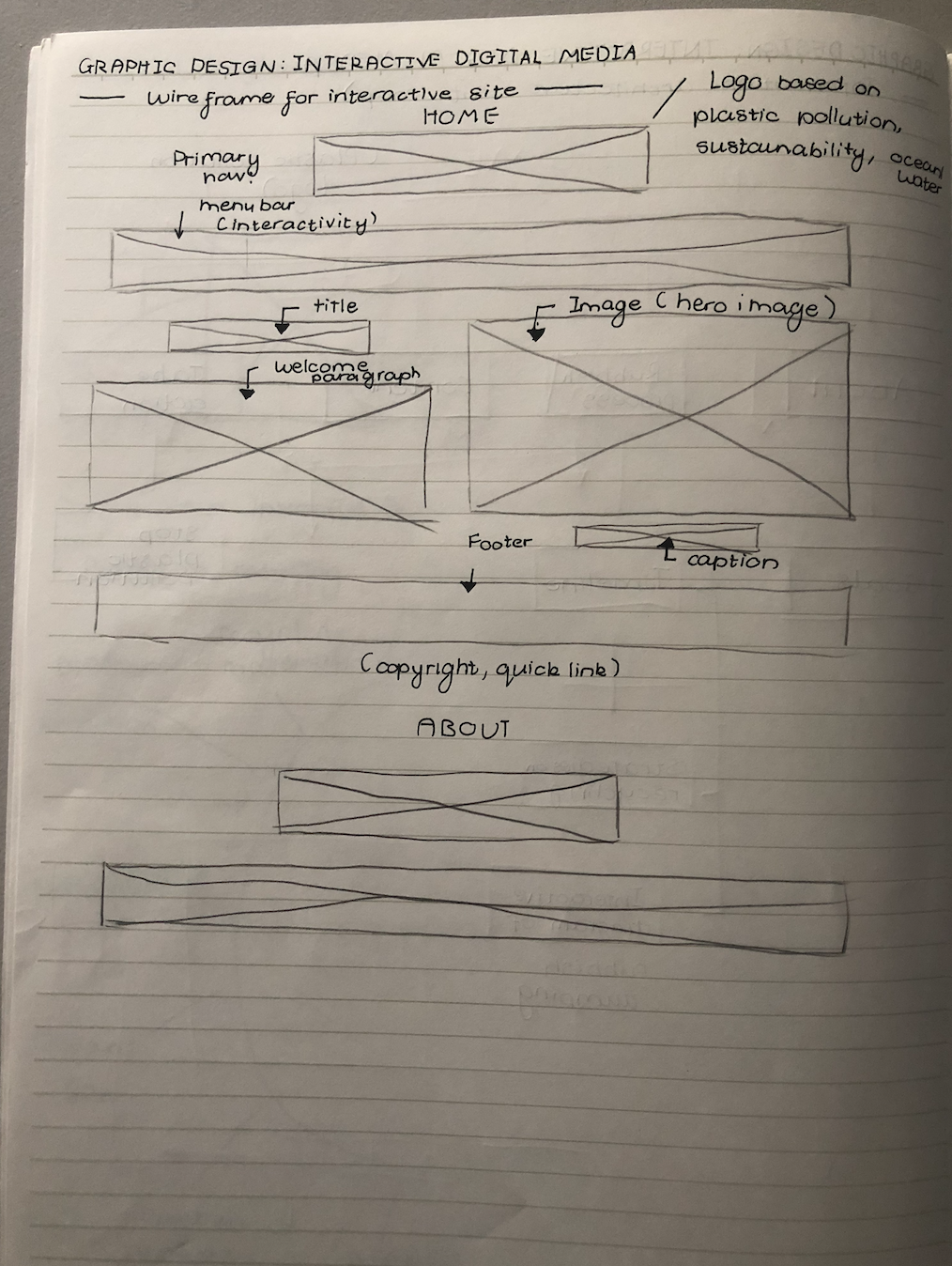
Information architecture site
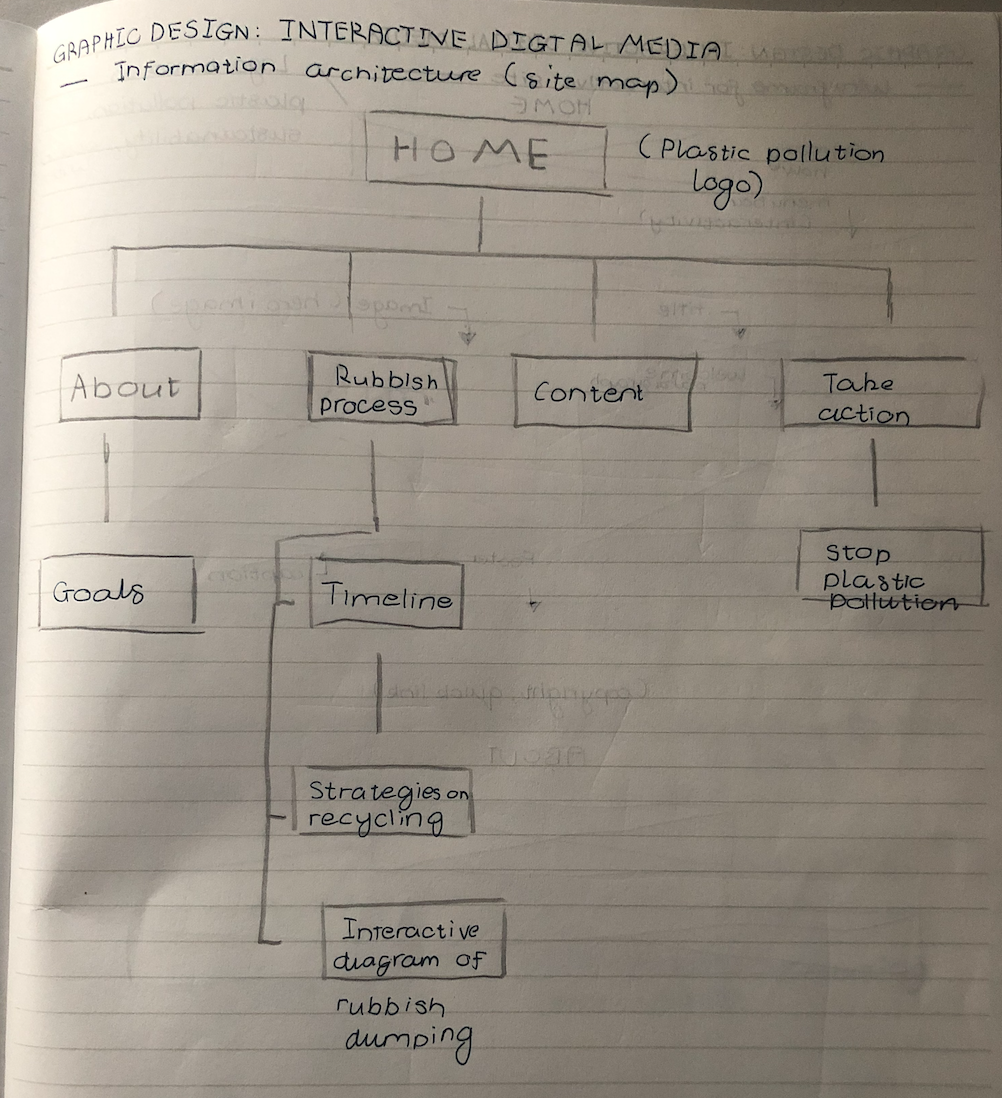
Week 10 Tutorial activity
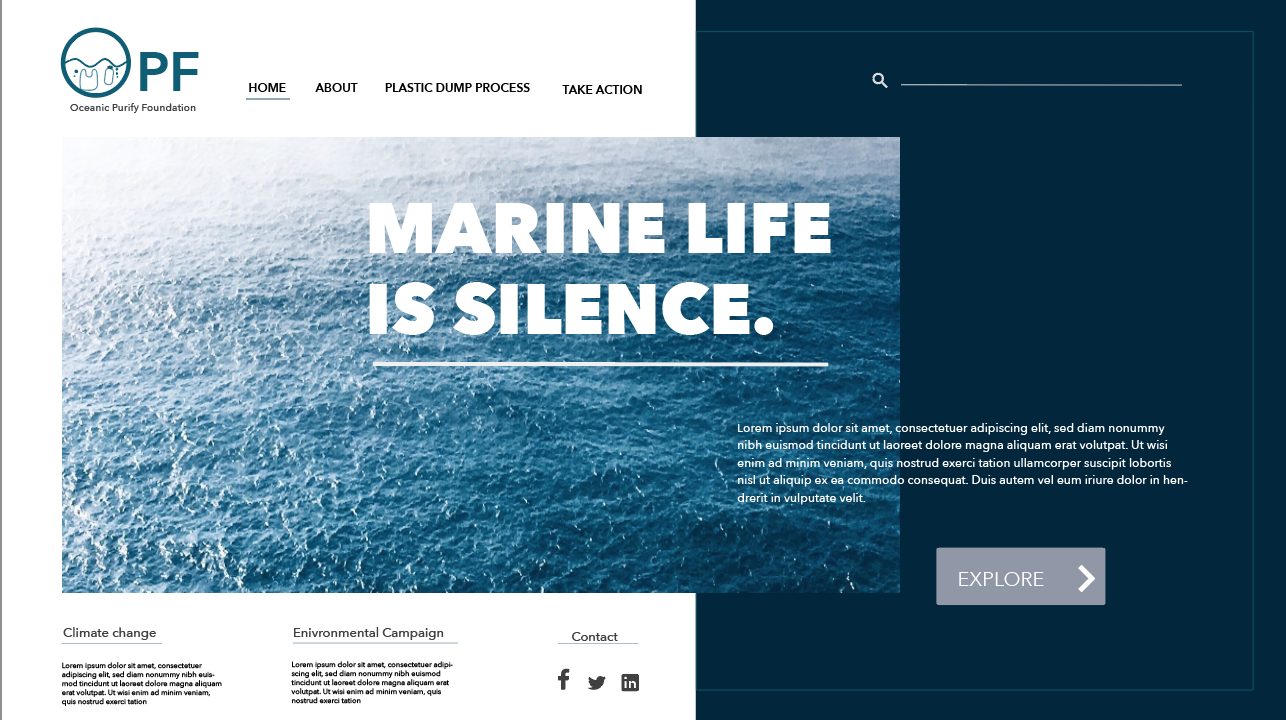
Logo/Title design feedback session
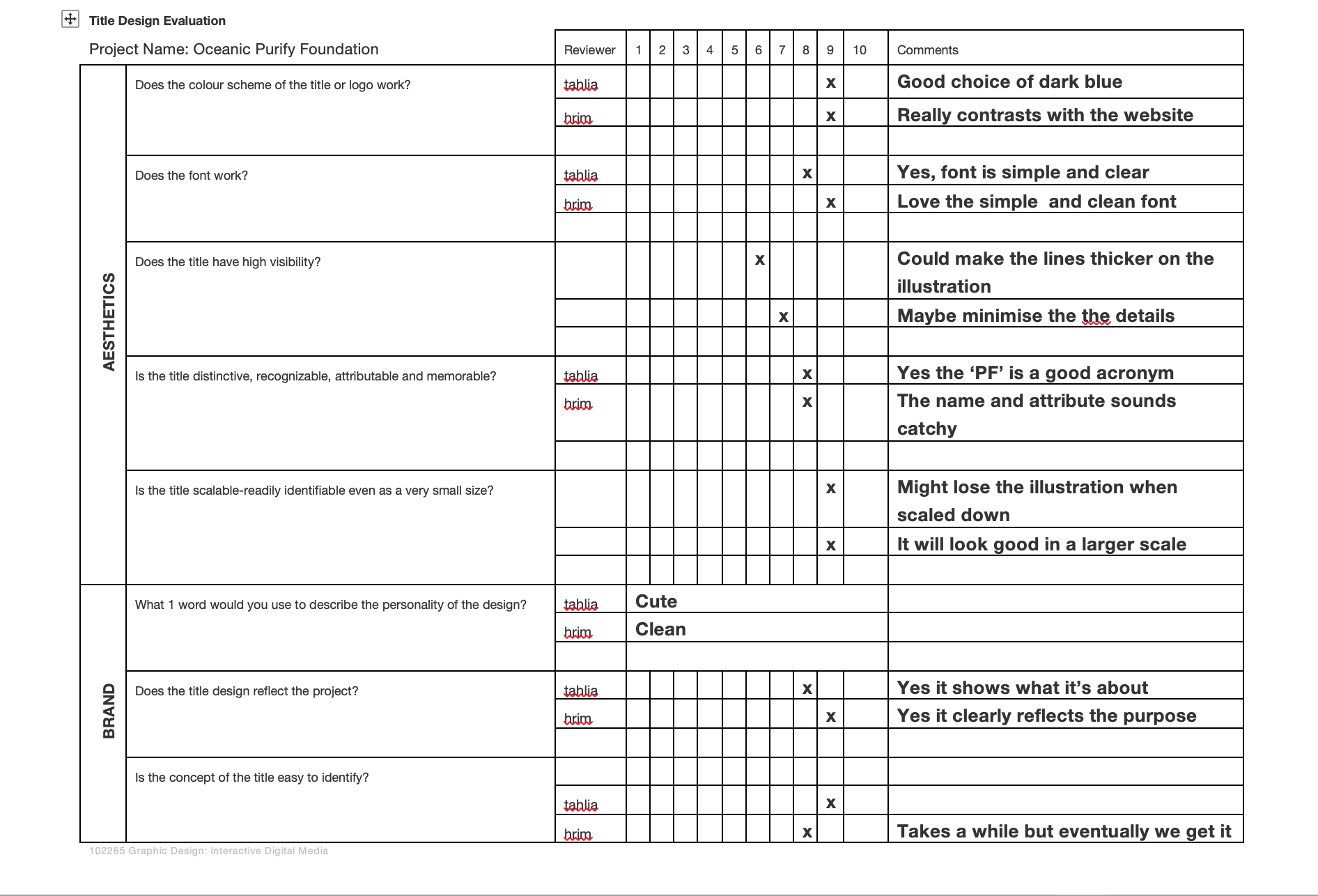
Refined after feedback
Further refinement after user testing on my prototype
Week 7: UI visual design patterns
Response to week 7 lecture pod
To fully understand UX and UI patterns, they are an essential term in producing interactive products such as website and app. Both of them are crucial to a product and work closely together as one to visualise the presentation, senses and reaction.
UX (user experience)
It is the first design process for interactive products to enhance the customer’s experience when observing how they react to it. It aims to improve the usability and functionality provided in the interaction between the customer and the product. For example, researchers or designers in the UI/UX field relies on the element of creating:
- User persona: create your own character related to your product
- User Scenario: Analysing how your persona act out when interacting with your product based on personalities, likes, dislikes and hobbies
- Usability testing: ask questions and feedback on your product from the peer, professor, client or customer
- Wireframe: A visual guide for your website or app to represent your skeletal framework and to demonstrate your development and plan of the layout
UI (user interface)
In this stage, it means that your interactive product such as a website or app has been designed in term of look and feel. It also showcases the final presentation of the product and focuses on interactivity, responsiveness and efficient experience. Therefore, It allows for the user to gain an understanding of how your interactive product benefits daily lives and to help them seek content to complete their goals.
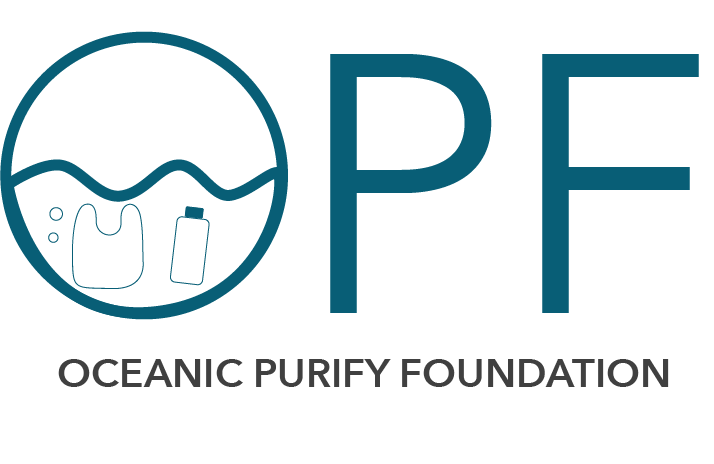
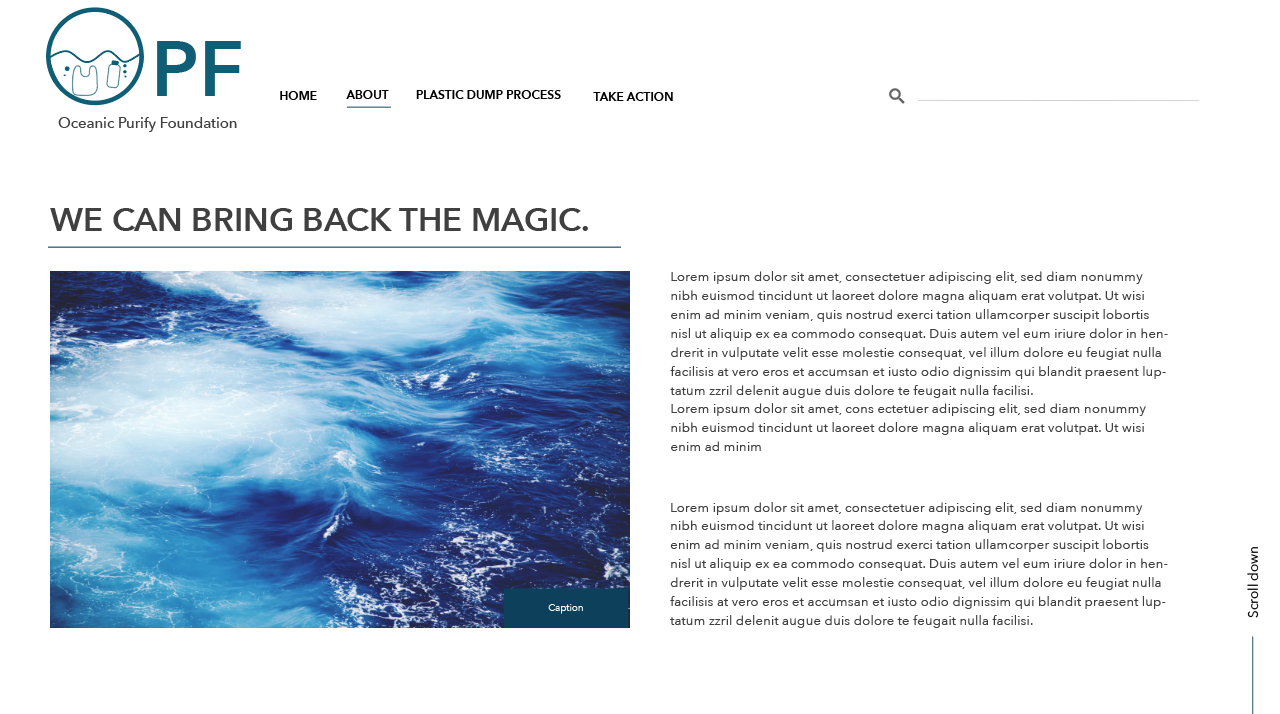
Example of my UI design
These are my final UI screen designs are for showcasing my intention of creating an informative website about ocean plastic pollution and how it tied to the arising event of climate change. I have also created my own branding in order to value the marine life in the ocean and the aims to deal with plastic pollution as an environmental community.
Week 6: Studio activities
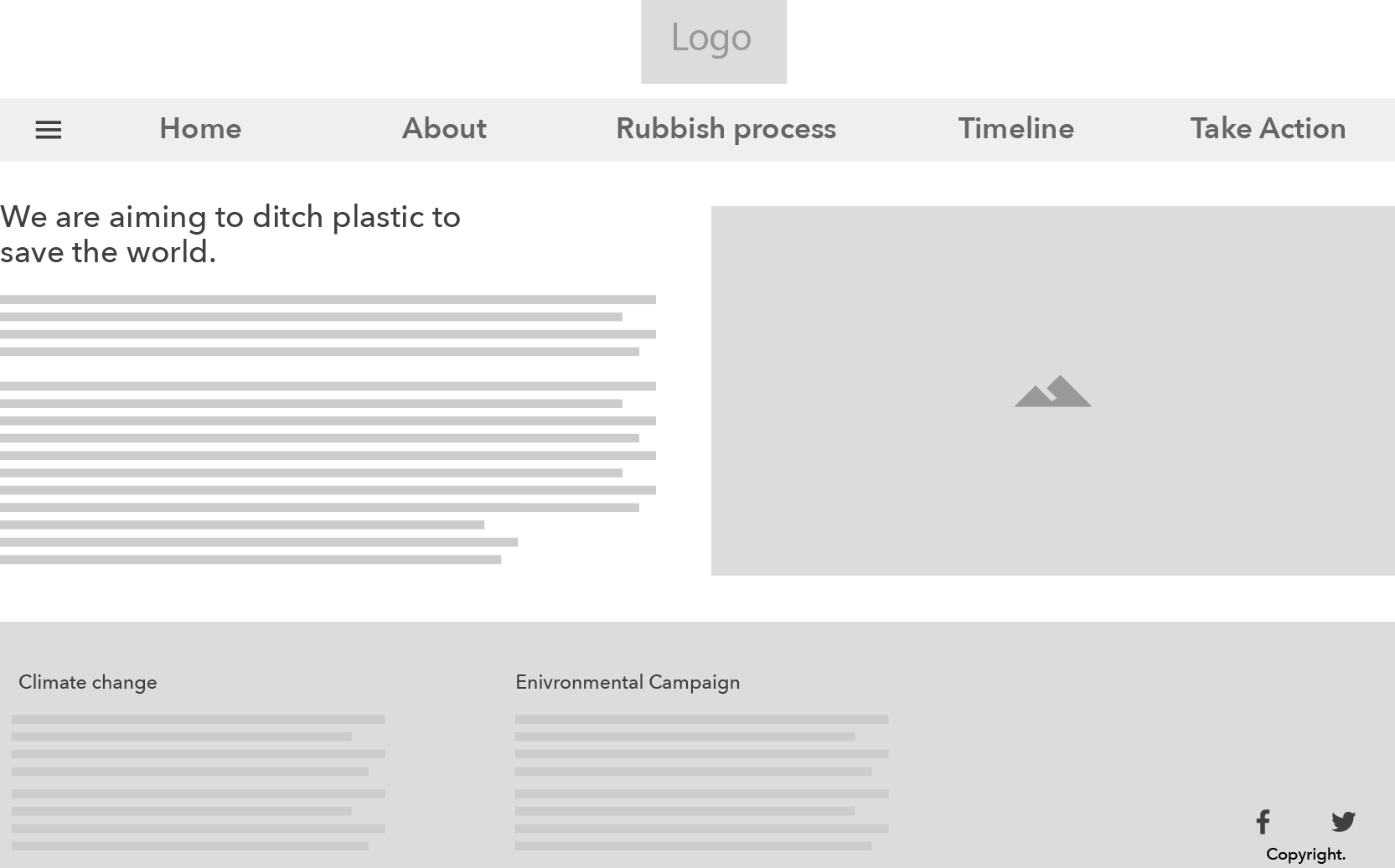
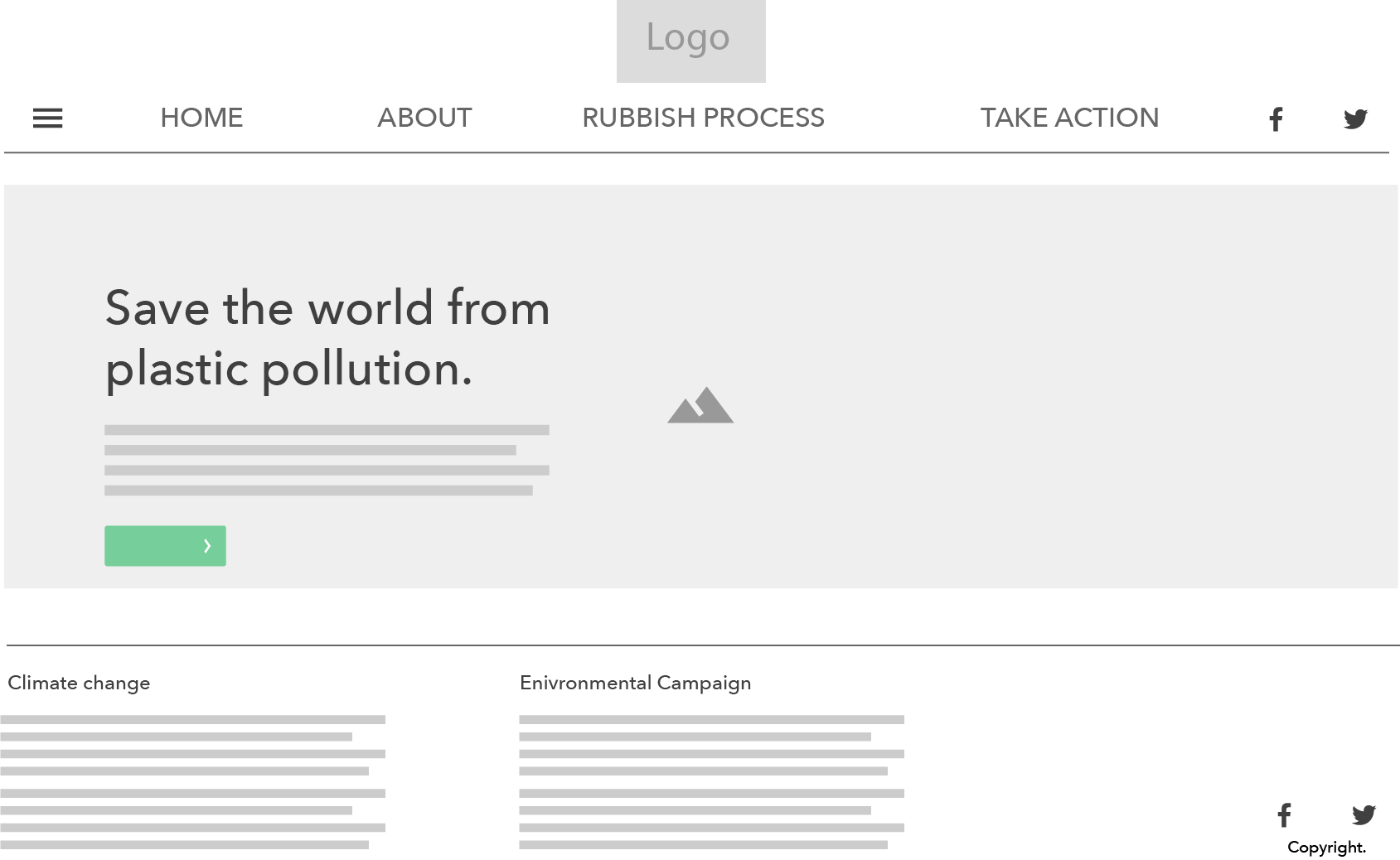
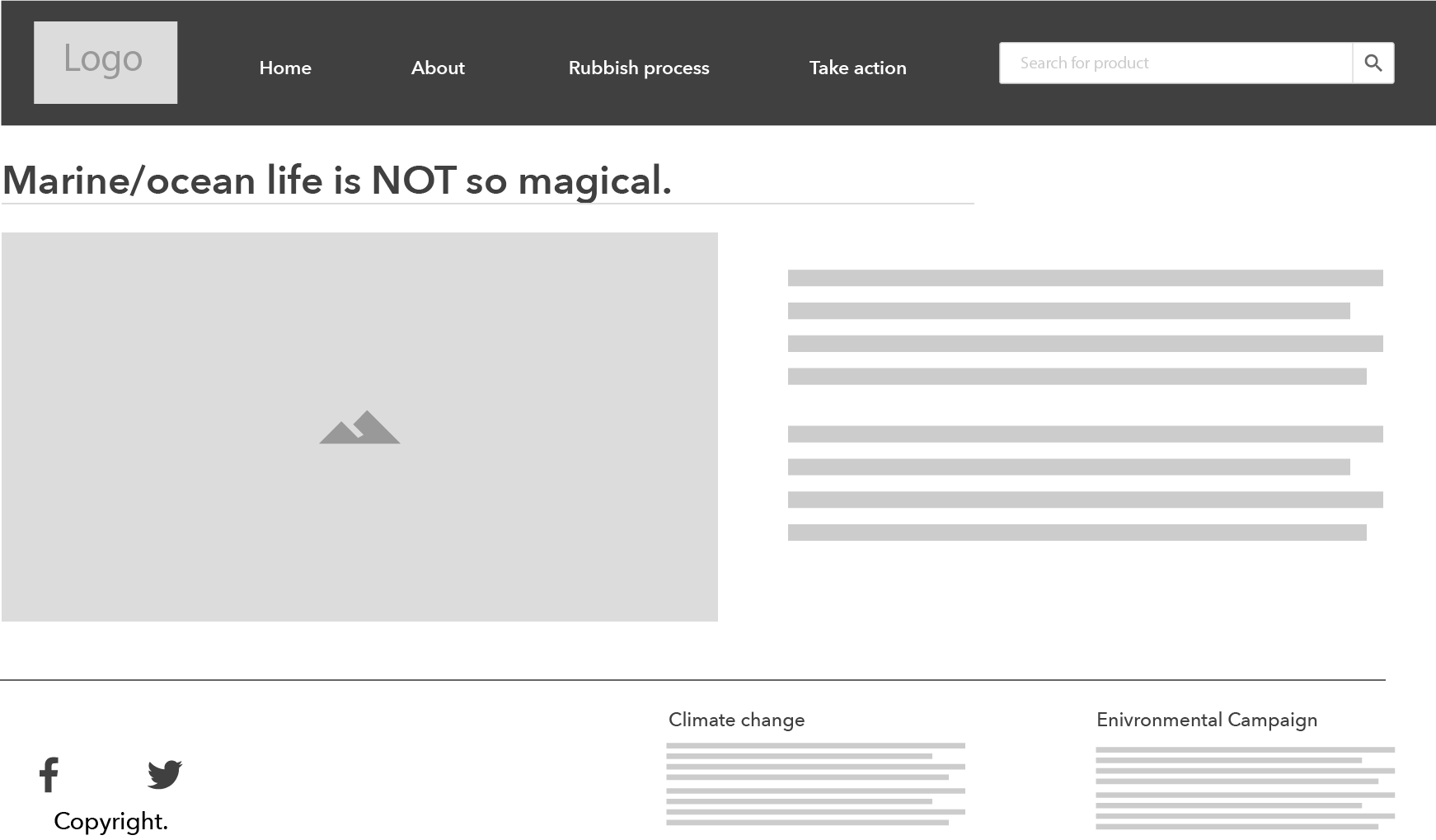
Task: Create 1 UI screen design with 3 alternative layouts
Down below are my three layouts for my interactive website that addresses the cause and effect of marine plastic pollution toward the world and tied to the future event of climate change.
User Scenario
Respond to week 6 lecture pod & Tutorial activities
Definition
It is defined as a fictitious story of a user’s goals of interacting with interactive products such as a website or app. It played a major role in describing the type of users and their daily activities interacting with a website/application to collect information about:
- Goals
- Expectations
- Motivations
- Action
- Reactions
The important aspect
After writing your narrative about your day of your life of a user interacting with your product, it is essential as a digital designer to understand what the future users seek. If the users fail to complete their goals by interacting with your product, it will give you further insight into your problem so it is understandable and easily be solved.
Example of user scenarios
Basic diagram

workflow/
Visual diagram
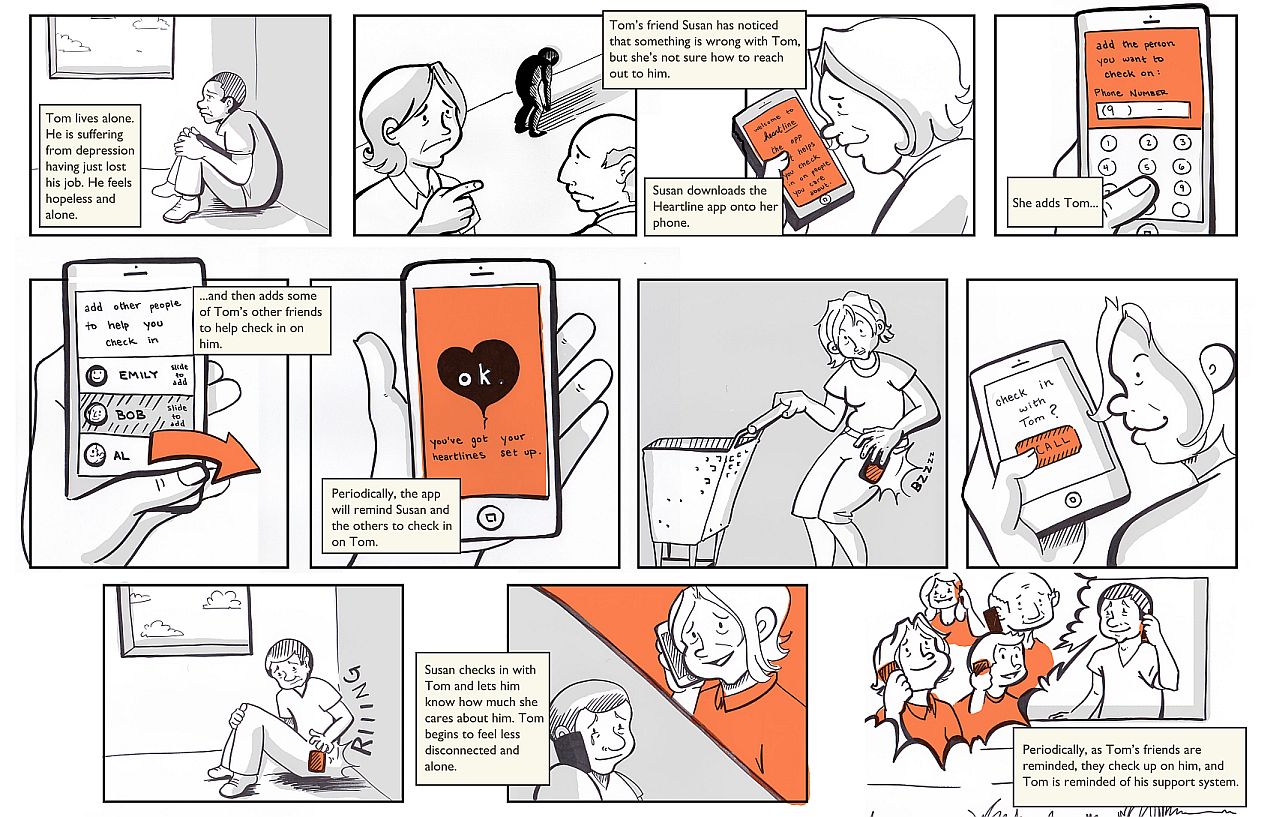
Tutorial activity: Write up 2 quick Scenarios for your project.
User 1: expert
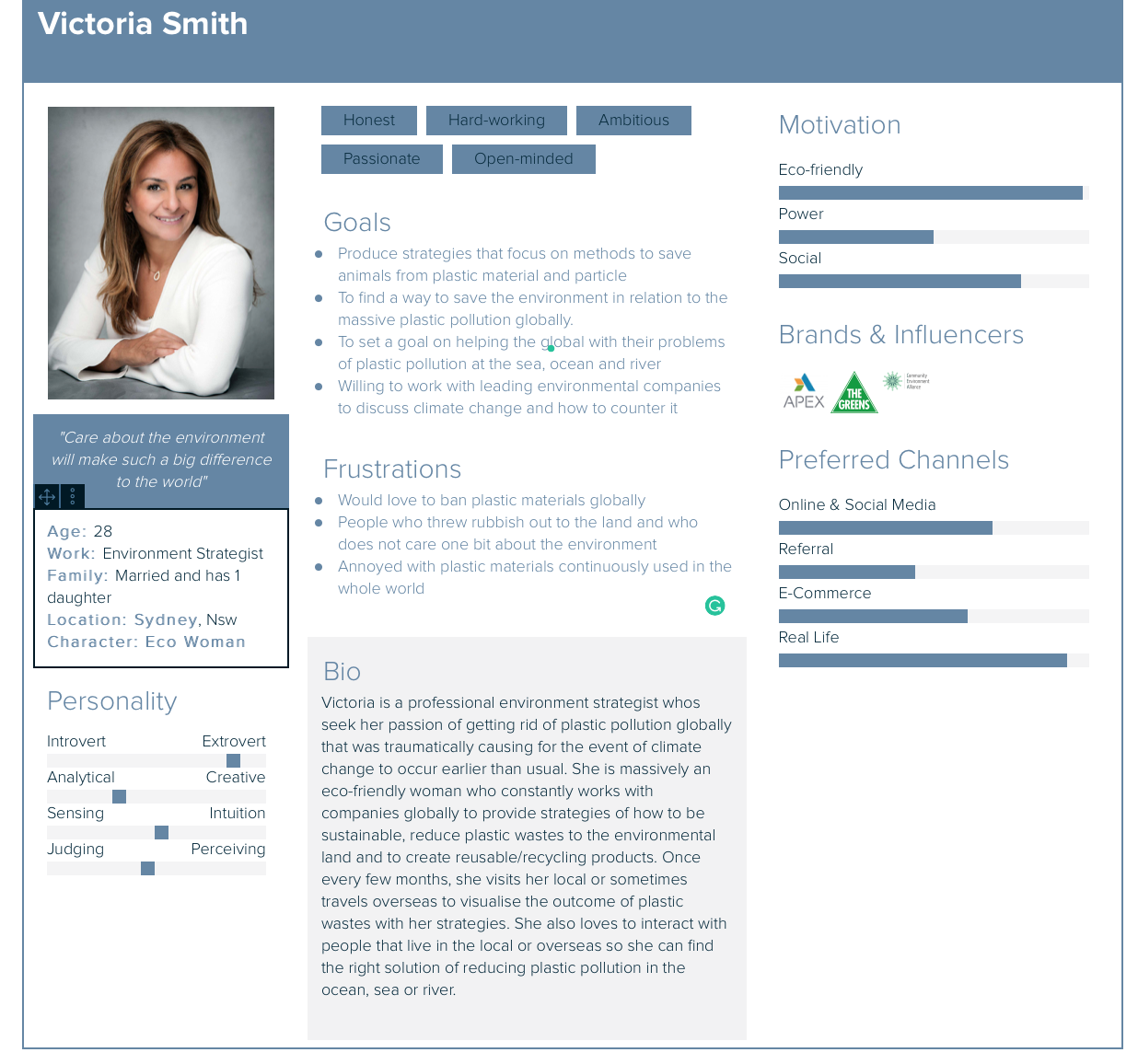
It is on a Monday morning and Victoria is at home working as an environmental strategist to complete daily tasks and suddenly, she has received an urgent email from a global environmental company to work with them about getting rid of plastic pollution in the ocean. She replied back to states that she will come up with varieties of strategies with intensive research to guide her ideas of benefiting and improving on the marine life.
Although Victoria is a major expert in providing strategies to benefit the environment around the world, she still needed to conduct research for marine plastic pollution and came across a website that demonstrates how the company invented a clean up specifically for the marine life in the ocean. This website is passionate about inventing technologies and designer products made for cleaning up the ocean to enable that the marine animals are safe to live and maintain a great ecosystem for us.
After weeks of conducting research to provide strategies to save the marine life from plastic pollution, Victoria was told that she needed to book a flight to the US and work with the environmental company who urgently needed her help and improve on the ocean clean up for the marine life.
User 2: Novice
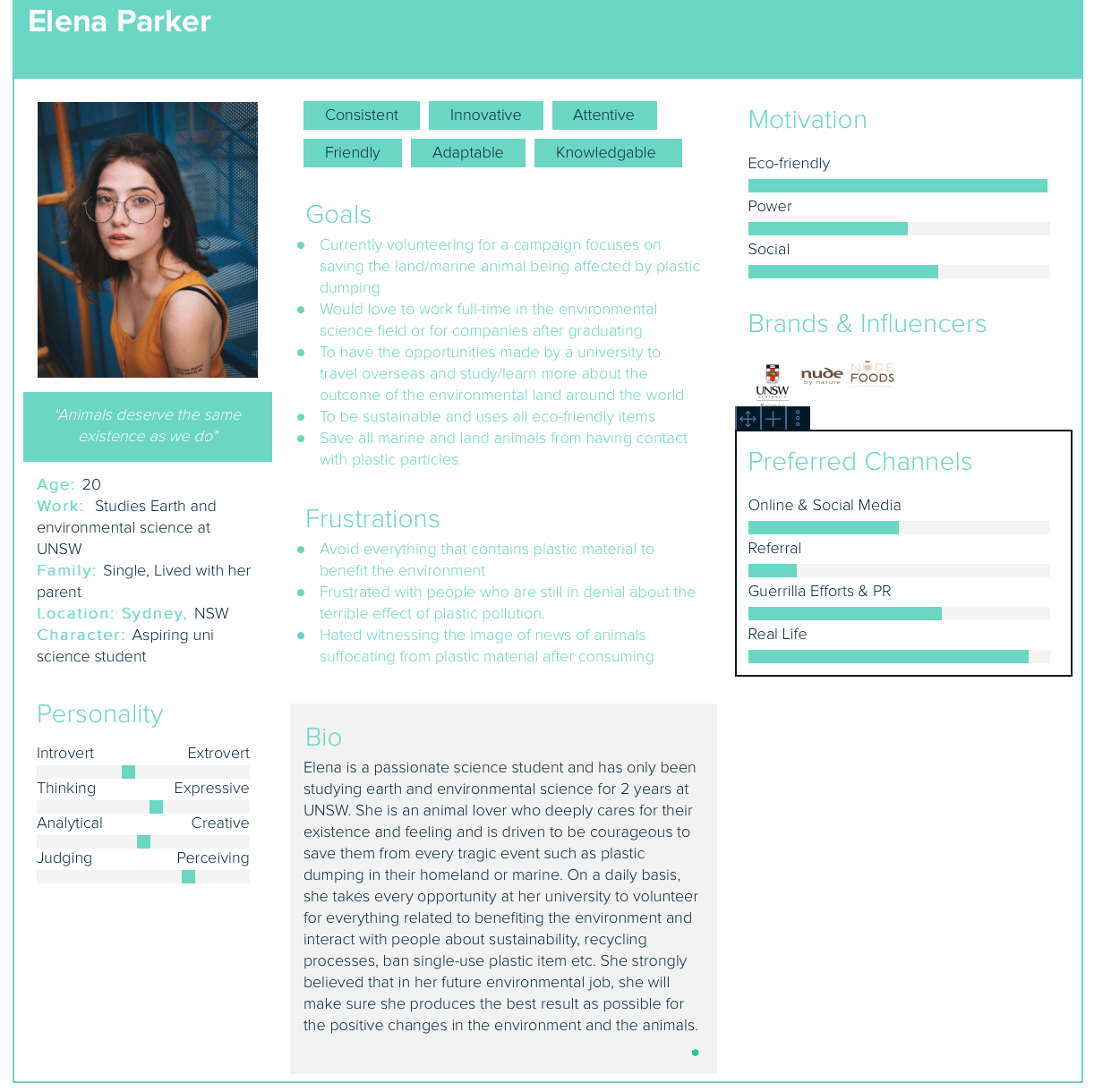
On a Friday evening, Elena has her uni assignment due tonight at midnight to complete it. She was tasked to research marine plastic pollution and how is it affecting the marine animals living in the ocean. She also has to apply her internship and volunteering experience of how she brainstorm ideas and solutions of saving the animal from ingesting plastic particles.
Starting on her assignment, she came across this ocean website that is relatable to her chosen topics focuses on marine plastic pollution and the negative impact on marine life. She absorbed the information that briefly explains the process of cleaning the rubbish dumping up from the ocean.
In the end, her outcome from using this interactive website about ocean plastic pollution and the negative impact on marine life has helped her to further expand her knowledge and passion of saving the animal from plastic pollution.
User Personas
Responds to week 5 lecture pod
Definition
User personas is the representative of your users that is vital to developing a interactive product. They will help you to describe the audiences who use your product and enable you to efficiently identify and communicate their needs.
The most important aspect of user personas
Before creating your own personas for your interactive products, it is crucial that you fully understand your target audience. The essential of creating your own personas is to identify:
- Goals
- Behaviour patterns (How they reacts using the product)
- Attitude, skills and enivronment
- What platform they prefer to use and interact it on? (Desktop, tablet or mobile)
To further expand the understanding and insight of your interactive products, it is useful to question the users based on:
- Personalities/attitudes (what type of a person is or how they reacts)
- Likes
- Dislikes
- Interest/hobbies
Further questioning your users will give you more insight into how they approach your products so you can design a better experience to give them what they need.
My example of user persona for my project
Week 4 Lecture pod
Instructional Design
Definition
It is a design process that involves learning and knowledge to develop and design an interactive product. Instructional design is created in many elements- words/language, graphic images and photography.
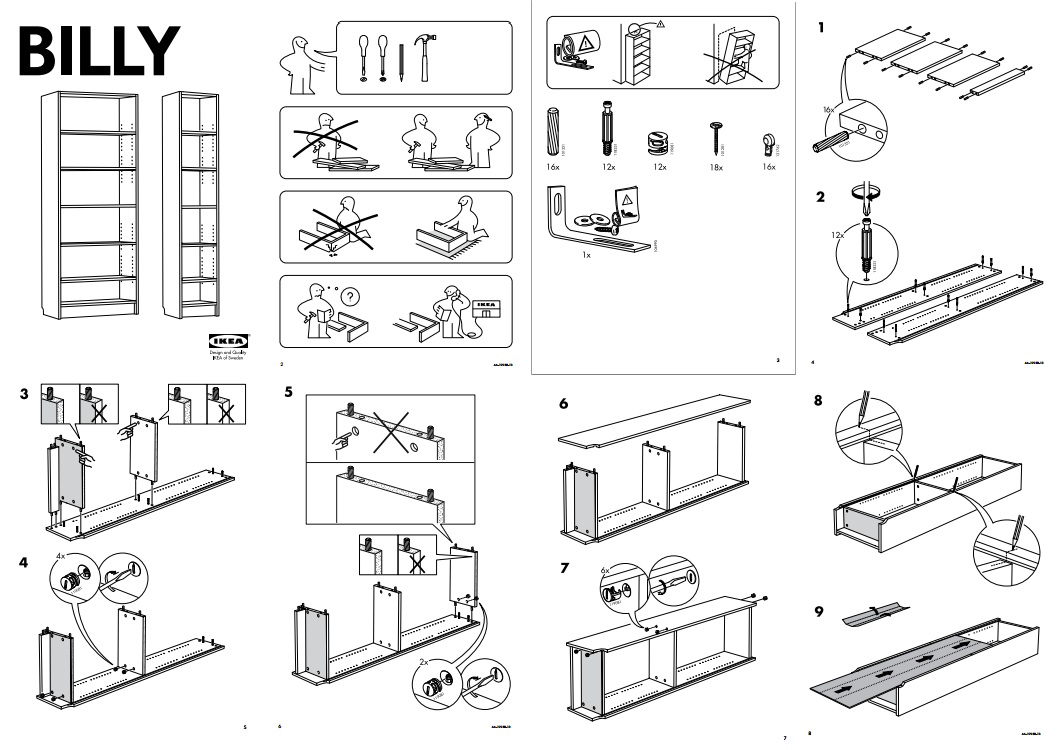
Example of visual introduction
A simple, visual images that are word/language free for furniture or other designer products so the process runs smoothly.
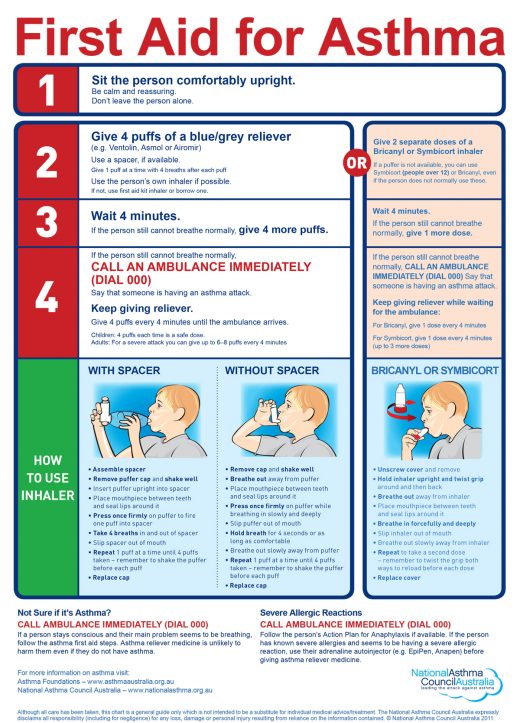
Health departments (clinics and hospitals)
In many health departments, it is critical that designers/researchers produce graphic images and brief word introduction with a long process of researching. Colour, layout, graphics and typography is still very important for readability and special needs such as impaired people who have poor eyesight. For example, the colour red at the top indicates the critical steps of reliving a person who shows the first sign of asthma. Therefore for green at the bottom, it shows the detailed introduction of how to use the inhaler without needing emergency help.
Week 5: Studio Activities
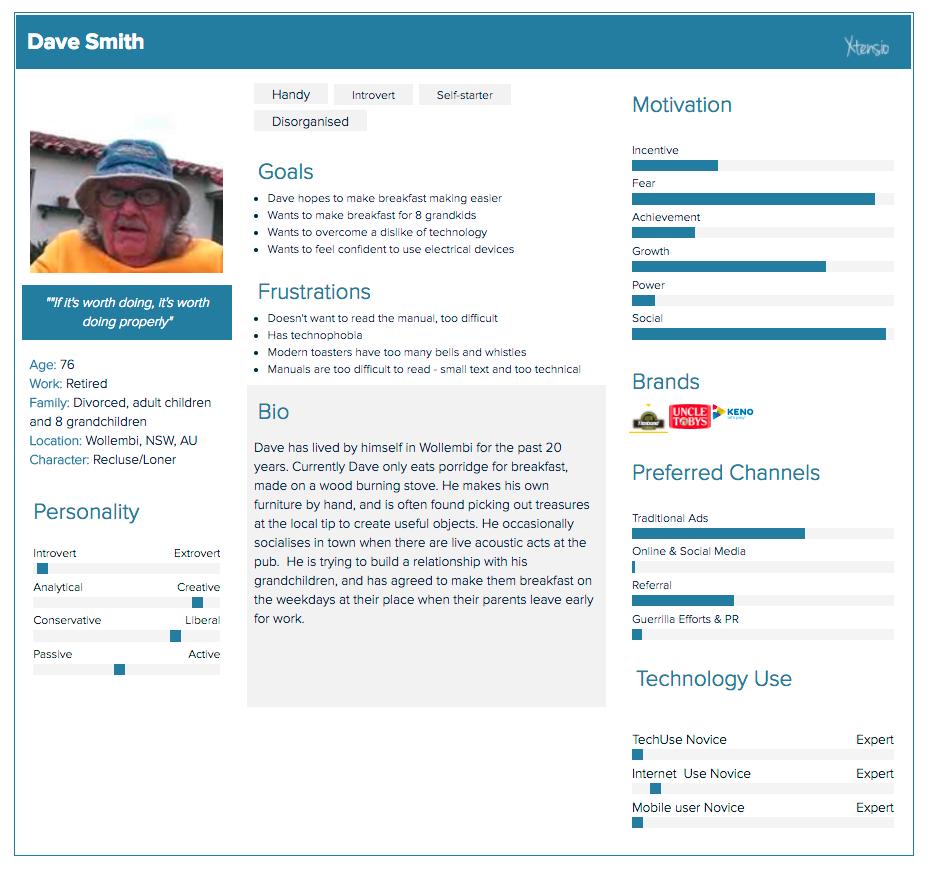
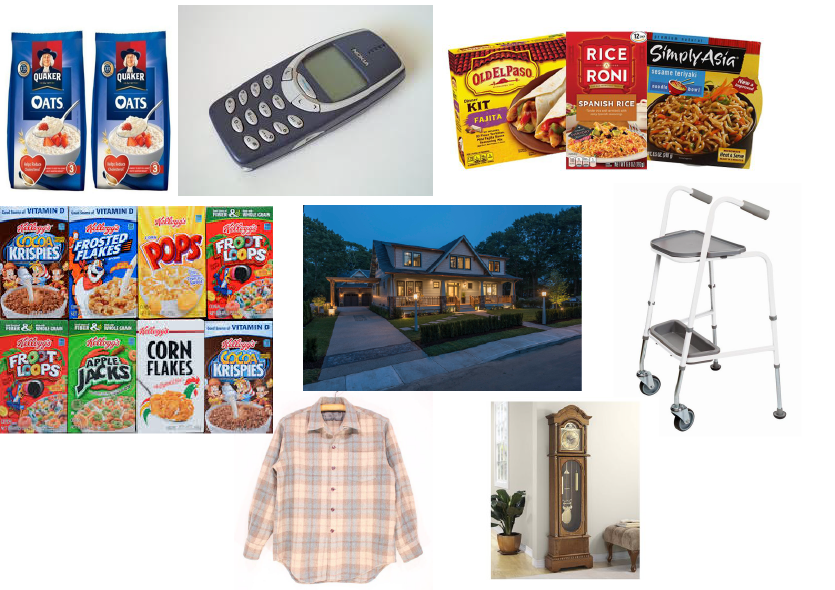
Dave Smith persona & moodboard
Firstly before getting started on the user persona for my project, completing this mini exercise has helped me to give me the quick insight of what is user persona and how/why is it important in the design process of developing an interactive product for the target audience.
Week 3: Studio activities
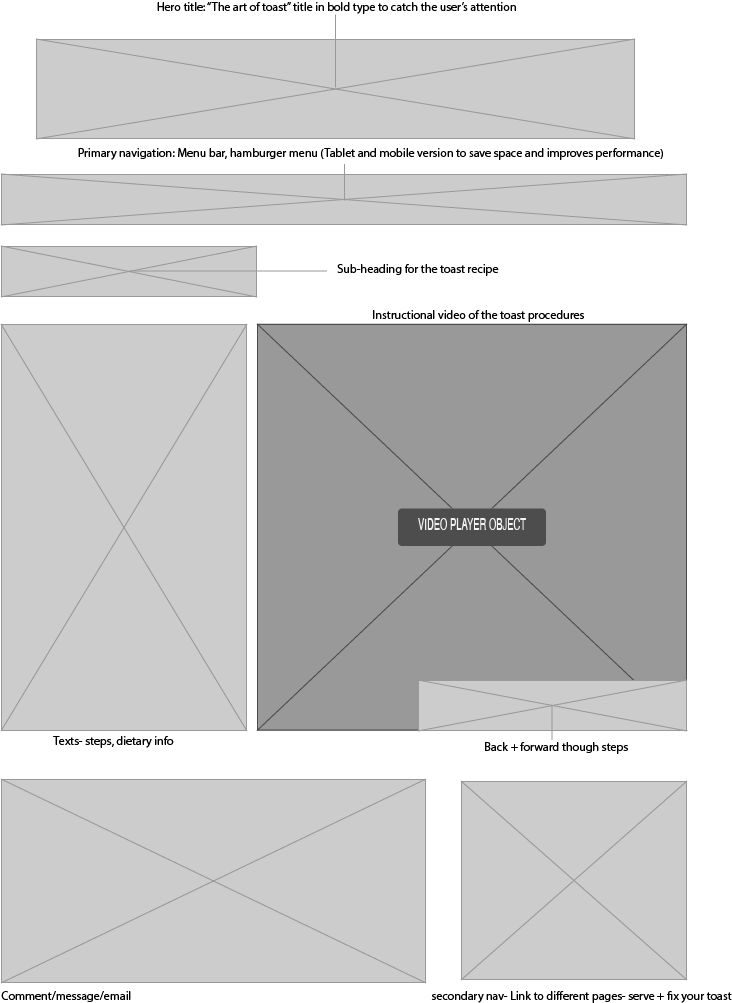
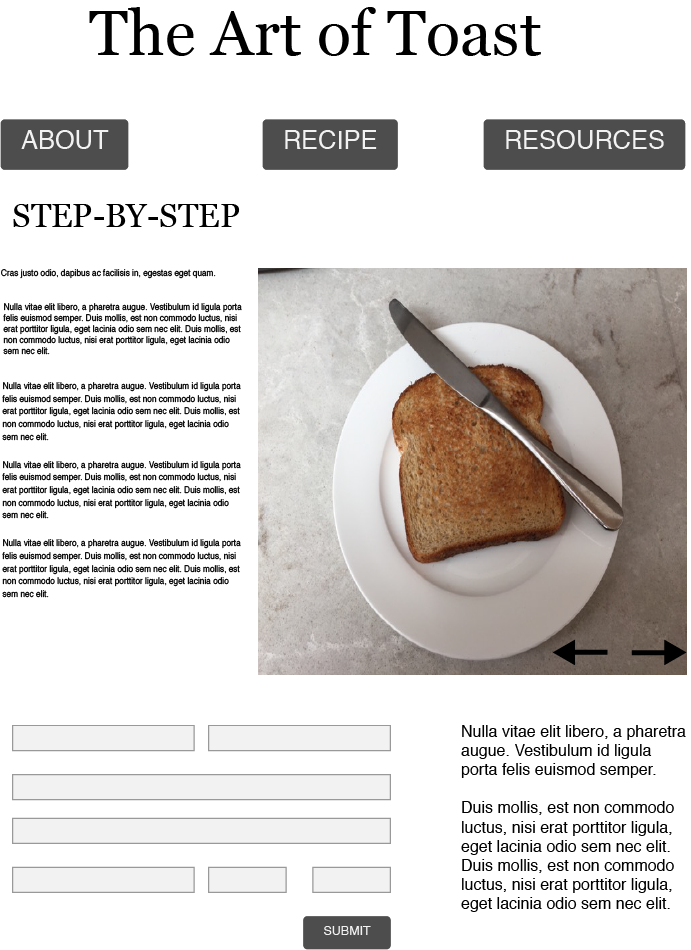
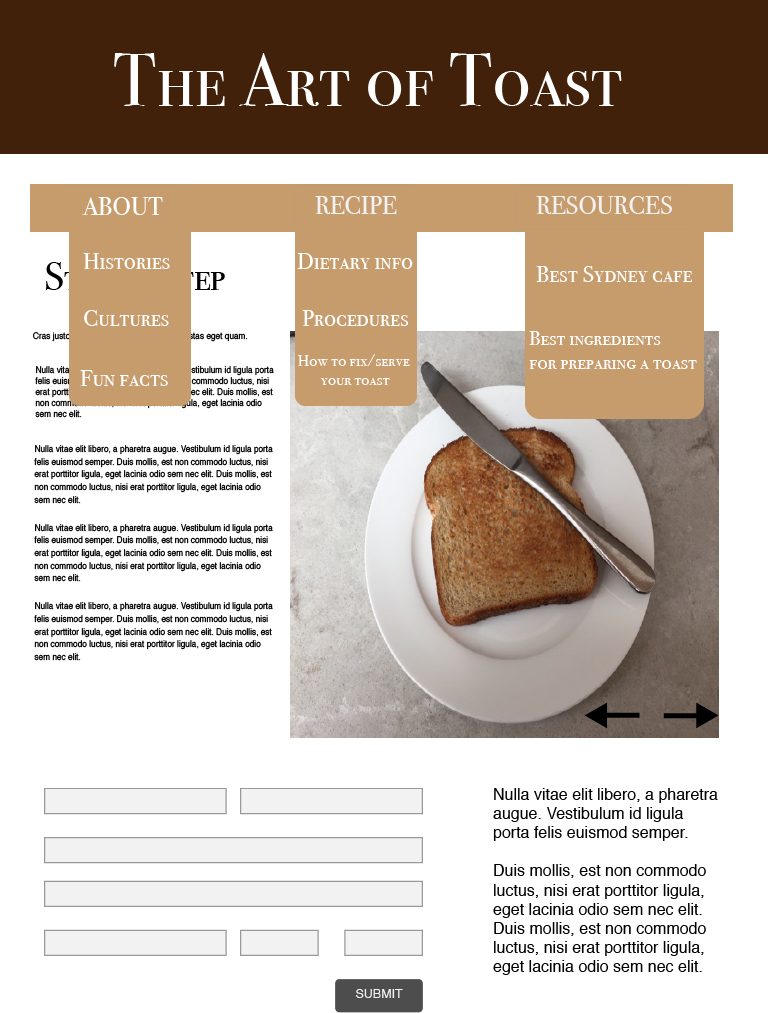
Wireframes, UI design and visual design overview
 Tracy's Blog